Imagine this: you’re deep into an epic gaming session, and the last thing you want is to be tangled in wires. Enter AirPods—the sleek, wireless solution that’s taken the world by storm. But can you pair these trendy little earbuds to your Xbox? It’s a question that’s left many gamers scratching their heads while trying to figure out how to level up their audio experience.
Can You Pair AirPods to Xbox?
AirPods can’t connect directly to the Xbox console. The Xbox doesn’t support Bluetooth audio, which limits the use of devices like AirPods. Gamers seeking wireless sound must consider alternative methods for pairing.
Using a Bluetooth adapter provides a viable solution. These adapters can plug into the Xbox’s USB port and create a Bluetooth connection. Once set up, the adapter allows AirPods to pair and stream game audio.
Another option involves using a mobile device. Utilizing an Xbox app can create a connection between the Xbox and a smartphone. By connecting AirPods to the mobile device, players can listen to game audio indirectly.
Sound quality varies when using these methods. Users may experience latency, impacting timing during gameplay. For those prioritizing performance over casual listening, wired headsets often deliver better audio synchronization and response time.
RECOMMENDATIONS:
| Method | Compatibility | Sound Quality |
|---|---|---|
| Bluetooth Adapter | High | Moderate to High |
| Xbox Mobile App | Moderate | Moderate |
| Wired Headsets | High | High |
Focusing on specific needs helps determine the best option. Wireless convenience appeals to many players. However, for competitive gaming, opting for wired headphones usually proves advantageous.
Understanding Bluetooth Compatibility
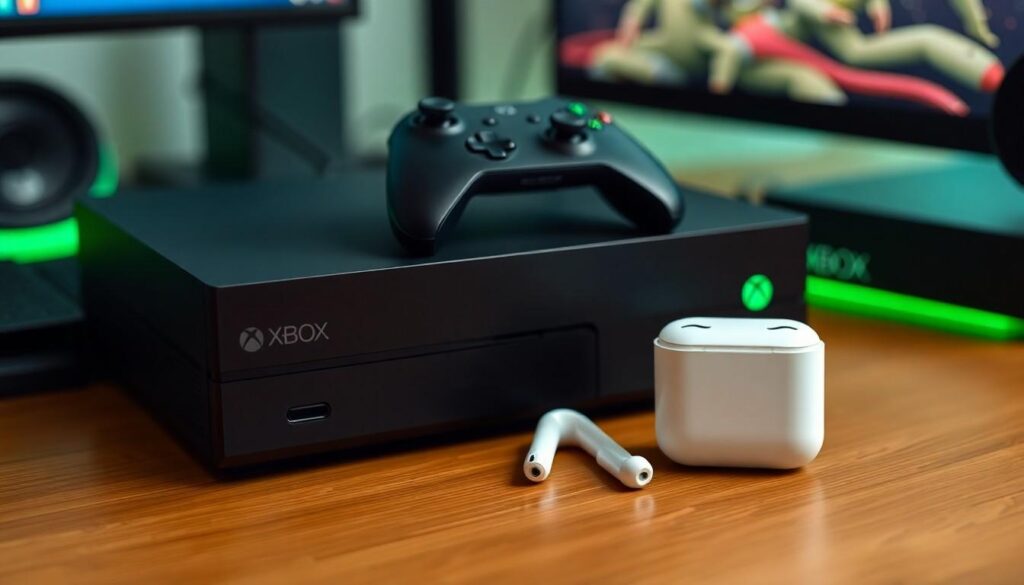
Understanding Bluetooth compatibility is crucial for connecting AirPods to Xbox. While AirPods feature advanced Bluetooth technology, Xbox consoles do not support Bluetooth audio directly.
Bluetooth Versions
Bluetooth versions vary in capabilities and performance. Version 4.0 introduced low energy consumption, enhancing connectivity for devices like AirPods. Early versions may cause audio quality issues during gaming. Version 5.0 offers improved range and speed, making it more suitable for seamless connections. For the best experience, devices should ideally use the latest Bluetooth version.
Xbox Wireless Technology
Xbox wireless technology relies on a proprietary wireless protocol instead of standard Bluetooth. This specialized technology ensures low latency and high-quality audio. Unlike Bluetooth, the Xbox wireless protocol is designed for optimal gaming experiences. Xbox supports specific headsets designed for direct pairing without adapters, enhancing gameplay with minimal delays. Understanding these differences helps users determine the best audio solutions for their gaming needs.
Steps to Connect AirPods to Xbox
Connecting AirPods to an Xbox requires specific methods due to the console’s lack of Bluetooth audio support. Gamers can utilize Bluetooth adapters or the Xbox app for indirect connections.
Using Bluetooth Adapters
Bluetooth adapters provide a practical solution for pairing AirPods with Xbox consoles. These devices plug into the USB port, creating a Bluetooth signal that the AirPods can detect. Various models are available on the market, so selecting a compatible adapter is essential. Prioritize options specifically designed for gaming needs to ensure low latency and quality audio. Installing the adapter involves simply plugging it in and pairing it following manufacturer instructions. This method allows users to enjoy wireless audio without compromising too much on sound quality.
Pairing Process
Pairing AirPods with a Bluetooth adapter involves a few straightforward steps. First, users should put the AirPods in pairing mode by pressing the button on the case. The LED light will blink white, indicating readiness for connection. Next, they must follow the adapter instructions to initiate the pairing process. Once the adapter detects the AirPods, it confirms the connection with a signal. After successful pairing, game audio will stream through the AirPods. Users should test the setup to ensure audio quality and latency response meet gaming requirements.
Alternative Solutions
Gamers seeking alternatives for using AirPods with Xbox can explore a few effective methods.
Using a Mobile Device
Connecting AirPods to a mobile device provides an indirect solution for gaming audio. Users can download the Xbox app, which allows for certain functionalities like chatting with friends during gameplay. While this doesn’t relay game audio through the console, it lets players coordinate strategies seamlessly. Latency may occur, but it’s often manageable, depending on the game type. For this method, keeping the mobile device close to the console ensures a stable connection.
Other Wireless Headsets
Several wireless headsets offer direct compatibility with Xbox. Designers of these headsets prioritize low latency and high-quality audio, tailored specifically for gaming needs. Brands like SteelSeries and HyperX produce models that support Xbox’s proprietary wireless technology. Many of these headsets connect without extra adapters and provide clear sound and voice chat capabilities. Choosing a headset known for its reliability in competitive settings guarantees an enhanced overall gaming experience.
Conclusion
While AirPods offer convenience for many users they aren’t directly compatible with Xbox consoles due to the lack of Bluetooth audio support. Gamers can explore alternative solutions like using Bluetooth adapters or the Xbox app for indirect connections. However these methods may come with potential latency issues that could affect gameplay.
For those who prioritize audio quality and synchronization a wired headset remains the best choice. Understanding Bluetooth compatibility and exploring dedicated gaming headsets can significantly enhance the gaming experience. By weighing the pros and cons of each option players can make informed decisions that suit their gaming style and preferences.